What to Look for in a GPS Tracker with Fall Detection for an Older Relative
When you are choosing a safety device for an elderly family member, the most important features are fall detection, a reliable SOS alert, and accurate location tracking that works both indoors and outdoors. These three functions together give you the confidence that help can reach the person quickly, whether they have taken a tumble at home or become disoriented while out for a walk. The rest of the device - battery life, wearing options, and ongoing costs - determines whether it actually gets used day after day.
Understanding what matters most helps you avoid paying for functions that sound impressive but rarely get used. It also stops you from overlooking a seemingly small detail, like how the device is worn, that can make the difference between a tracker that is always on the person and one that gets left in a drawer.
Fall Detection That Works in Real Life
Fall detection is the headline feature for a reason. A sudden fall, especially for someone living alone, can mean a long wait for help if they cannot reach a phone. The sensor inside the tracker uses accelerometers and sometimes gyroscopes to recognise the motion and impact of a fall. Once triggered, the device should automatically send an alert to a nominated contact or monitoring service.
Not all fall detection is equal. Some devices are too sensitive and trigger false alarms when the person simply sits down quickly or drops the device. Others miss genuine falls because the algorithm is tuned to ignore sudden movements. The best approach is to look for a tracker that lets you adjust the sensitivity or that has been tested across different fall scenarios. If the brand offers a trial period, that can be a practical way to see how the device behaves in your relative's daily life.
Another point to consider is what happens after a fall is detected. Does the device wait for the person to confirm they are okay before alerting anyone? That is a useful feature because it prevents unnecessary panic if the person simply stumbled and got back up. But the device should also have a timeout: if there is no response within a set time, it should escalate the alert automatically.

SOS Alert That Is Easy to Reach
An SOS button on the tracker gives the wearer a way to call for help even if they have not fallen. This is important for situations where they feel unwell, are lost, or sense danger. The button needs to be physically easy to press, even for someone with reduced dexterity or arthritis. A recessed button that requires a hard press is not helpful in an emergency. Look for a raised, large-button design that can be activated with a thumb or palm.
Some trackers combine the SOS function with two-way communication. That allows the person wearing the device to speak directly with a family member or a call centre responder. Being able to explain what is happening - "I feel dizzy and I am at the corner of the main road" - can be far more reassuring than a silent alert that simply shows a location. It also reduces the chance of a false alarm because the responder can quickly assess the situation.
Location Accuracy: GPS and Wi-Fi Together
Location tracking in an elderly safety tracker does not need to be pinpoint precise all the time, but it needs to be reliable enough that you can find the person without a long search. GPS gives excellent accuracy outdoors, but it struggles inside buildings, particularly in concrete or steel-framed structures. That is where Wi-Fi location becomes useful. By triangulating the device's position relative to known Wi-Fi networks, the tracker can provide a room-level location inside a home, shopping centre, or aged care facility.
A tracker that uses both GPS and Wi-Fi location is more versatile than one that relies on GPS alone. It can tell you whether your relative is at the doctor's surgery, in the supermarket, or still in their own bedroom. Some devices also use cell tower triangulation as a backup, which gives a rough position when neither GPS nor Wi-Fi is available. For a family carer, this layered approach means fewer anxious moments spent wondering exactly where the person is.
Battery Life That Matches the User's Routine
Battery life is the feature that often gets overlooked until it becomes a problem. A tracker that needs to be charged every day is likely to be forgotten, left uncharged, and eventually abandoned. For an elderly user, the ideal device runs for several days on a single charge, or even weeks if the tracking frequency is low.
Many modern trackers let you set how often the device transmits its location. If your relative mostly stays at home, you can set the tracker to update its position every hour or two. If they are heading out for a walk, you can switch to a more frequent update mode. That flexibility extends the battery during quiet periods while keeping it ready for active use. Some devices also use a power-saving mode that activates automatically when the person is stationary for a long time.
Check whether the device uses a rechargeable battery or replaceable coin cells. Rechargeable batteries are more convenient and cheaper over time, but they do degrade after a couple of years. Replaceable batteries can be simpler for someone who does not like plugging things in, but the ongoing cost adds up. Consider what the person is comfortable managing on their own.

Wearing Options That Suit Different Lifestyles
A safety tracker is only useful if it is worn. That means the wearing option must be comfortable, secure, and acceptable to the older person. The most common options are a pendant on a lanyard, a clip-on device for a belt or pocket, and a wristband. Each has trade-offs.
A pendant is easy to put on and take off and can be worn under clothing, which some people prefer for privacy. However, it can swing and get caught on door handles or furniture. A wristband is harder to remove accidentally, but it may be less comfortable for someone with thin wrists or skin sensitivity. A clip-on device can be attached to a bag or waistband, but it is more likely to be left on a chair or table when the person changes clothes.
The best choice depends on the person's habits and physical condition. If they already wear a medical alert bracelet or a watch, a wristband style might feel natural. If they dislike anything on their wrist, a pendant is a better option. Some trackers come with multiple wearing accessories, so you can test different styles without buying a new device.
Mobile Coverage and Network Reliability
Because these trackers rely on mobile networks to send location data and alerts, you need to check that the device works on the same cellular bands used by carriers in your area. In New Zealand, for example, most trackers operate on the 4G network, which offers broad coverage in urban and suburban areas. Rural coverage can be patchy, so if your relative lives in a remote area or frequently travels through the countryside, look for a device that also supports 3G fallback or uses a different network technology.
Some trackers use a combination of mobile networks and Wi-Fi to send data, which helps indoors where mobile signals can be weak. Check the carrier compatibility list for the device before buying. Also find out whether the device requires a specific SIM card or if it works with any network. A locked SIM can be inconvenient if you need to switch carriers later.
Ongoing Costs and the Value of No Monthly Fees
Monthly subscription fees are a common model for GPS trackers, but they can turn a one-off purchase into a recurring expense that adds up over the years. Some devices now offer safety technology without monthly fees, which means the tracker itself handles the alerts and location updates without requiring a paid plan. This can be a good fit for families who want to keep the device active without worrying about subscription renewals or hidden charges.
The trade-off is that devices without monthly fees often rely on the wearer's existing home Wi-Fi for indoor location and use the mobile network only for SOS alerts and outdoor tracking. That works well for someone who spends most of their time at home and only occasionally goes out. If the person is very active and regularly travels outside Wi-Fi range, a subscription-based device that uses a dedicated cellular data plan might give more consistent coverage. Weigh the person's typical routine against the cost of the subscription.
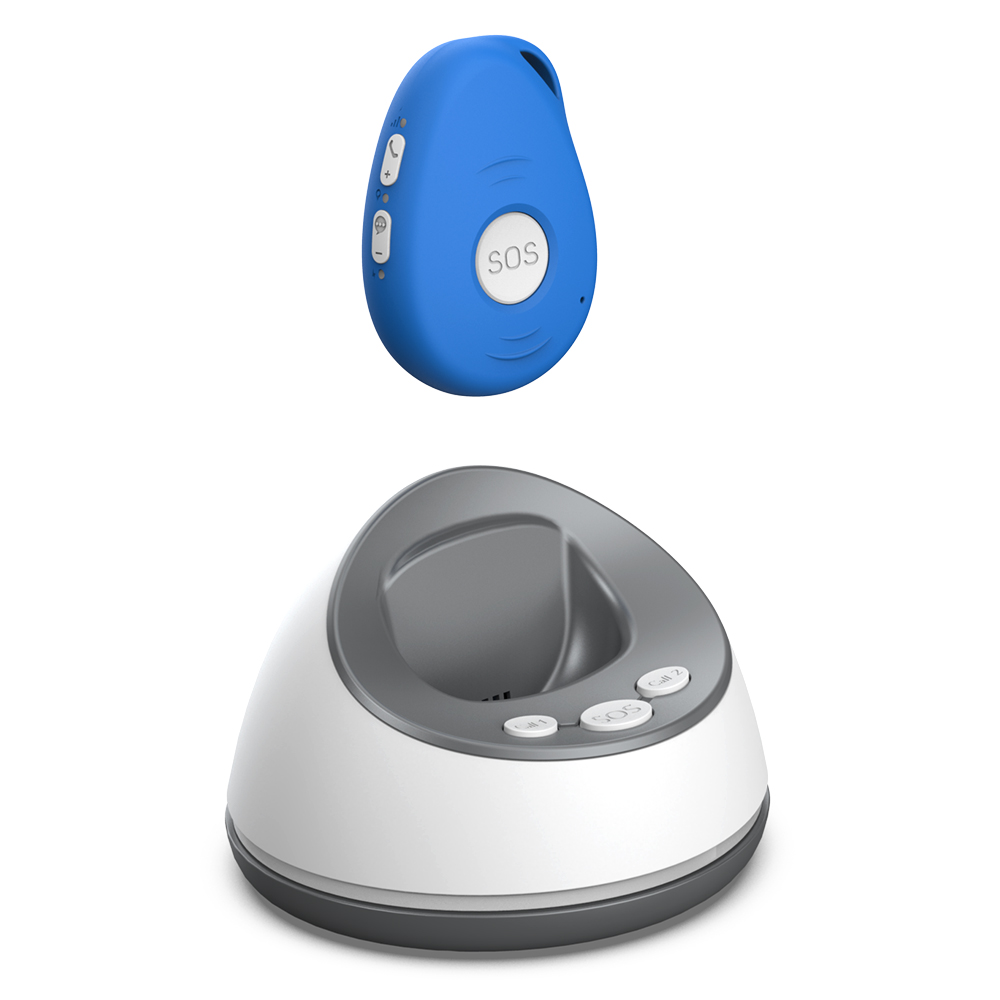
Choosing safety technology without monthly fees can simplify the ongoing management of the device. There is no bill to pay each month, no card to update, and no risk of the service being cut off because a payment was missed. For many families, that peace of mind is worth the upfront investment in the hardware.
Putting It All Together
When you compare elderly safety trackers, start with the core safety features: reliable fall detection, a responsive SOS button, and location tracking that works indoors and outdoors. Then consider the practical details that affect daily use: battery life, wearing comfort, mobile coverage, and the cost structure. A device that scores well on all these counts is far more likely to be worn consistently and to work when it is needed.
No device can replace being present and attentive, but a good tracker can close the gap between a fall and a rescue. That is why the features that matter most are the ones that keep the device on the person, keep the alerts accurate, and keep the family informed without adding complexity or recurring costs.